AI Tools for Coding: 15 Best AI Coding Assistants and Agents
The best AI tools for coding in 2026: GitHub Copilot, Cursor, Claude Code, Codex and open-source agentic coding tools like Cline and Aider.
Quick answer
The best AI tools for coding are GitHub Copilot (most widely used, works in any editor), Cursor (AI-native editor), Claude Code and OpenAI Codex (agentic coding from the terminal and cloud), and open-source options like Cline and Aider. For a free start, try GitHub Copilot's free tier or Gemini Code Assist.
AI coding tools have split into two groups: assistants that suggest code as you type, and agentic AI coding tools that read your repository, plan changes, run commands and open pull requests.
Here are the best AI tools for coding in each group, with free options and what to check before you let an AI agent touch your codebase.
AI coding tools at a glance
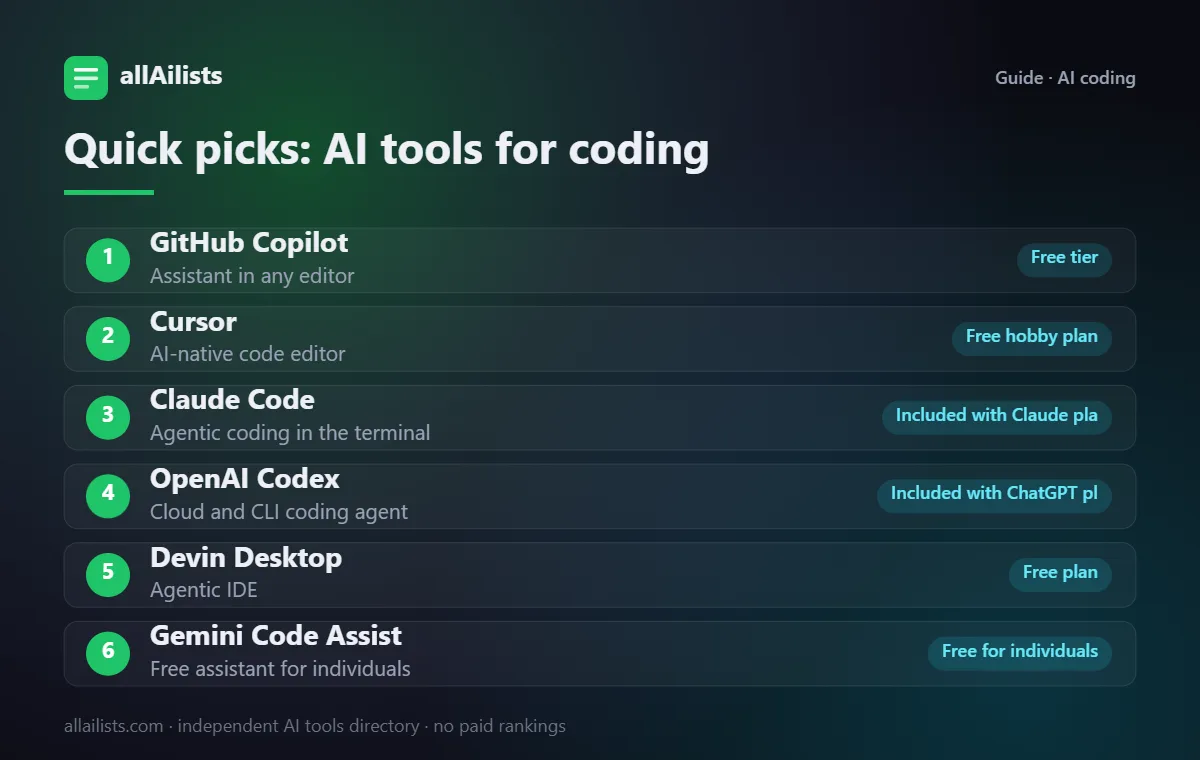
| # | Tool | Best for | Free option |
|---|---|---|---|
| 1 | GitHub Copilot | Assistant in any editor | Free tier |
| 2 | Cursor | AI-native code editor | Free hobby plan |
| 3 | Claude Code | Agentic coding in the terminal | Included with Claude plans |
| 4 | OpenAI Codex | Cloud and CLI coding agent | Included with ChatGPT plans |
| 5 | Devin Desktop | Agentic IDE | Free plan |
| 6 | Gemini Code Assist | Free assistant for individuals | Free for individuals |
| 7 | Gemini CLI | Open-source terminal agent | Free tier |
| 8 | Cline | Open-source agent in VS Code | Free, open source (bring your own model) |
| 9 | Aider | Terminal pair programmer | Free, open source |
| 10 | Amazon Q Developer | AWS developers | Free tier |
| 11 | JetBrains AI | JetBrains IDE users | Paid (trial) |
| 12 | Kiro | Spec-driven development | Free preview tier |
| 13 | CodeRabbit | AI code review | Free for open source |
| 14 | Tabnine | Private, self-hosted completions | Paid |
| 15 | Replit | Build and deploy in the browser | Free plan |
Free options change often. Details reflect each product's public plans as of November 2026; always confirm on the official site.
How we picked these tools
Every tool here is listed in the allAilists directory, which we re-check every month for products that shut down, rebrand or change direction. We favor established products with a clear use case, add strong newcomers where they fill a gap, and note where the free option is limited. Nobody paid to be included and we do not use affiliate rankings.
The best AI tools for coding
1. GitHub Copilot: assistant in any editor
GitHub Copilot offers completions, chat and a coding agent across VS Code, JetBrains, Visual Studio and GitHub itself.
2. Cursor: AI-native code editor
Cursor is a VS Code-based editor built around AI chat, multi-file edits and background agents.
3. Claude Code: agentic coding in the terminal
Claude Code works in your terminal, IDE and the web, reading your codebase, making multi-file changes and running tests.
4. OpenAI Codex: cloud and CLI coding agent
OpenAI Codex runs coding tasks in the cloud or locally from the CLI and can prepare pull requests.
5. Devin Desktop: agentic IDE
Devin Desktop (formerly Windsurf) is an AI IDE with agent flows that plan and apply changes across files.
6. Gemini Code Assist: free assistant for individuals
Google's Gemini Code Assist offers completions and chat in VS Code and JetBrains, with a generous free tier.
7. Gemini CLI: open-source terminal agent
Gemini CLI is an open-source coding agent for the terminal from Google.
8. Cline: open-source agent in VS Code
Cline is an autonomous coding agent inside VS Code that can create files, run commands and use the browser, with approval steps.
9. Aider: terminal pair programmer
Aider edits code in your local Git repository from the terminal and commits changes with clear messages.
10. Amazon Q Developer: AWS developers
Amazon Q Developer helps with code, AWS services and upgrades inside IDEs and the console.
11. JetBrains AI: jetBrains IDE users
JetBrains AI Assistant and its agent integrate deeply with IntelliJ, PyCharm and other JetBrains IDEs.
12. Kiro: spec-driven development
Kiro turns requirements into specs and tasks before generating code, for more structured agent work.
13. CodeRabbit: AI code review
CodeRabbit reviews pull requests automatically and comments on bugs and improvements.
14. Tabnine: private, self-hosted completions
Tabnine focuses on privacy, with options to run models in your own environment.
15. Replit: build and deploy in the browser
Replit's agent builds and deploys full apps from a prompt, great for prototypes. See student tools and AI app builders for more.
What is the best AI model for coding?
Model rankings change every few months. Top models from Anthropic, OpenAI and Google trade places on coding benchmarks, and most tools above let you switch models. Test two models on a real task from your own codebase rather than trusting a leaderboard. For building AI into your own apps, compare AI model platforms.
How to choose
- Decide whether you want inline suggestions, an AI editor or an autonomous agent.
- Check where your code is sent and whether it is used for training.
- Start agents on small, well-tested tasks before giving them bigger changes.
- Measure review time and bugs, not just how much code is generated.