Best Free AI Tools in 2026: 15 Picks With Genuine Free Plans
The best free AI tools in 2026 for chat, writing, design, video, voice and meeting notes: 15 picks with real free plans and what each free tier leaves out.
Quick answer
The best free AI tool for most people is a general assistant such as ChatGPT, Claude or Gemini. Add Canva Magic Studio for design, CapCut for video, QuillBot for rewriting and Otter.ai for meeting notes, and you have a complete free AI toolkit.
You do not need to spend money to get real work out of AI. Most of the best AI tools in 2026 still offer a free plan, free daily credits or an open-source version that is good enough for personal projects, school work and a lot of small-business tasks.
This list of free AI tools focuses on products that stay useful without a credit card. For each one we note what the free tier actually includes and where you will hit a limit, so you can pick the best AI tool for the job instead of the one with the loudest marketing.
The 15 best free AI tools at a glance
| # | Tool | Best for | Free option |
|---|---|---|---|
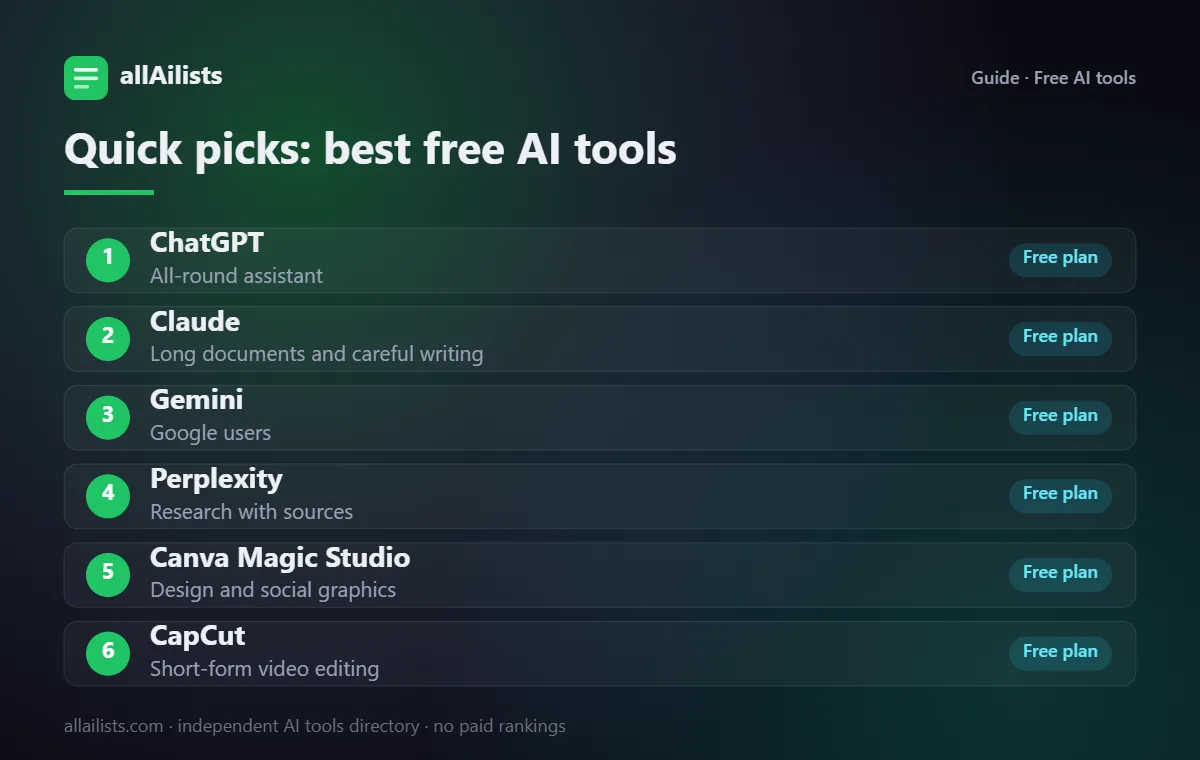
| 1 | ChatGPT | All-round assistant | Free plan |
| 2 | Claude | Long documents and careful writing | Free plan |
| 3 | Gemini | Google users | Free plan |
| 4 | Perplexity | Research with sources | Free plan |
| 5 | Canva Magic Studio | Design and social graphics | Free plan |
| 6 | CapCut | Short-form video editing | Free plan |
| 7 | QuillBot | Paraphrasing and grammar | Free plan |
| 8 | Grammarly | Grammar and clarity everywhere you type | Free plan |
| 9 | Otter.ai | Meeting transcription | Free plan |
| 10 | Fathom | Free meeting recorder | Free plan |
| 11 | ElevenLabs | Text to speech | Free tier |
| 12 | Gamma | Slides from a prompt | Free credits |
| 13 | NotebookLM | Studying your own sources | Free |
| 14 | Microsoft Designer | Free AI graphics | Free with a Microsoft account |
| 15 | DeepL | Accurate translation | Free plan |
Free options change often. Details reflect each product's public plans as of November 2026; always confirm on the official site.
How we picked these tools
Every tool here is listed in the allAilists directory, which we re-check every month for products that shut down, rebrand or change direction. We favor established products with a clear use case, add strong newcomers where they fill a gap, and note where the free option is limited. Nobody paid to be included and we do not use affiliate rankings.
The best free AI tools, by job
1. ChatGPT: all-round assistant
OpenAI's assistant handles writing, brainstorming, summarizing, coding help and image generation in one place. The free plan gives access to a capable model with daily limits on the most advanced features.
2. Claude: long documents and careful writing
Claude is strong at reading long PDFs, keeping a consistent tone and explaining its reasoning. It is a favourite for editing, analysis and drafting work emails.
3. Gemini: google users
Gemini plugs into Google Search, Gmail and Docs, which makes it handy for research and quick drafts if you already live in Google's apps.
4. Perplexity: research with sources
Perplexity answers questions with citations to the pages it used, so you can check claims quickly. It is the best free AI for quick research.
5. Canva Magic Studio: design and social graphics
Canva's AI features help you write copy, generate images and resize designs for every platform. The free plan covers most social posts, flyers and simple presentations.
6. CapCut: short-form video editing
CapCut adds auto-captions, background removal, effects and templates for TikTok, Reels and Shorts. It is the go-to free video editor for creators.
7. QuillBot: paraphrasing and grammar
QuillBot rewrites sentences in several styles, checks grammar and summarizes text. It is one of the most used free AI writing tools for students.
8. Grammarly: grammar and clarity everywhere you type
Grammarly works in your browser, email and documents, fixing spelling, grammar and tone as you type.
9. Otter.ai: meeting transcription
Otter records and transcribes meetings in real time and writes a summary afterwards. It is a quick win for anyone who spends hours on calls.
10. Fathom: free meeting recorder
Fathom joins Zoom, Google Meet and Teams calls, records them and writes summaries with action items. Its free plan is one of the most generous for meeting notes.
11. ElevenLabs: text to speech
ElevenLabs produces some of the most natural AI voices for narration, videos and accessibility. The free tier gives a monthly allowance of characters.
12. Gamma: slides from a prompt
Gamma turns an outline or a prompt into a clean presentation, document or simple web page in a minute or two.
13. NotebookLM: studying your own sources
Google's NotebookLM lets you upload notes, PDFs and links, then ask questions and generate audio overviews based only on your sources.
14. Microsoft Designer: free AI graphics
Microsoft Designer creates social posts, invitations and images from a text prompt and lets you edit the result.
15. DeepL: accurate translation
DeepL translates text and documents with natural-sounding results in dozens of languages.
Free vs paid: when it is worth upgrading
Free plans are ideal for trying tools and for light use. Upgrade when you hit the same limit every week, when you need commercial rights (common with voice and image tools), or when your team needs shared workspaces and admin controls. For business use, read the AI platforms guide to see which paid plans bundle the most.
How to choose
- Start with one general assistant and learn it well before adding specialist tools.
- Check what the free plan excludes: commercial use, watermarks, export quality and monthly limits.
- Read the privacy settings and turn off training on your data if the option exists.
- Keep a short list of the tools you actually use each week and drop the rest.